
Add Prana Calendar to iPhone
- Open https://app.chakrainstitute.com in Safari not Chrome
- Tap the Share button at the bottom of the screen — it looks like a box with an arrow pointing up
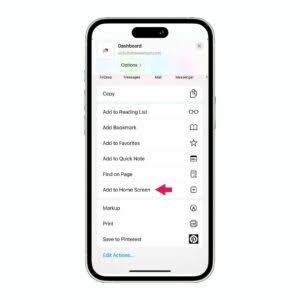
- Scroll down and tap "Add to Home Screen"
- Tap "Add" in the top right corner
- The Prana Calendar icon will appear on your home screen